



When you place a dental implant, precision matters. Even small errors in angle or depth can affect nearby nerves, sinuses, or adjacent teeth.
Digital dental implant planning helps you see key structures before you ever pick up a drill.
Digital implant planning reduces surgical risk by using 3D imaging and guided tools to improve accuracy, protect vital anatomy, and limit unexpected errors during the implant procedure.
With cone-beam CT scans and virtual planning software, you map out implant size, position, and angle based on real anatomy instead of estimates.
You can also use static guides or dynamic navigation to follow that plan during surgery.
Research on 3D imaging and virtual patients in implant planning shows that digital methods improve placement precision compared to traditional approaches. That added control supports safer surgery and more predictable outcomes.
Key Takeaways
- Digital planning uses detailed imaging to guide safer implant placement.
- Guided surgery improves accuracy compared to freehand techniques.
- Structured digital workflows support consistent clinical results.
Fundamentals of Digital Implant Planning
Digital implant planning combines 3D imaging, virtual design, and guided surgery to improve accuracy. You use detailed scans and software tools to plan implant placement based on bone shape, anatomy, and the final restoration.
Principles and Objectives
In digital implant planning, you start with accurate data. You collect CBCT scans to view bone height, width, and nearby structures like nerves and sinuses. You also capture intraoral scans to map the teeth and soft tissue.
The goal is simple: place the implant where the final crown needs it, not just where bone is available.
Research on digital implant planning and guided implant surgery explains how 3D radiographic data and digitized surfaces support precise positioning.
Your treatment planning focuses on both prosthetic and anatomical factors. These include:
- Final crown position
- Occlusal contacts
- Bone volume and density
- Distance from the inferior alveolar nerve
Many digital dentistry systems let you mark the nerve canal and set minimum safety distances. Reviews of virtual planning software for guided implant surgery show that platforms also provide implant libraries and cross‑sectional views to guide depth and angulation.
Your main objective is to create a plan that supports long-term function and reduces surgical guesswork.
Difference from Conventional Planning
Conventional implant planning often relies on 2D X‑rays and stone models. You may use a radiographic stent, but you cannot fully see bone thickness or angulation in three dimensions.
Digital implant planning changes that process. You work with a 3D model that shows bone contours, adjacent roots, and vital structures at the same time. You can rotate the view, measure distances, and adjust implant size before surgery.
The digital workflow in implant dentistry usually follows three steps:
- Image acquisition
- Virtual planning
- Guided implant placement
This structured process, described in discussions of digital implant surgery workflows, helps you move from diagnosis to execution with fewer manual transfers.
Unlike conventional methods, digital dentistry lets you design a surgical guide that transfers your virtual plan directly to the patient’s mouth.
Role in Surgical Risk Reduction
When you see anatomy clearly, you reduce avoidable mistakes. Digital implant planning lets you measure the distance between implants and the inferior alveolar nerve, often keeping a safety zone of a few millimeters.
You can also check spacing between implants and adjacent teeth before you ever pick up a drill. This lowers the risk of nerve injury, root damage, and poor implant angulation.
Studies discussing digital implant planning and guided surgery clinical outcomes report that guided placement improves accuracy and supports stable results. More precise positioning also helps protect marginal bone and soft tissue.
In practical terms, you gain:
- Better control of depth and angulation
- Fewer intraoperative surprises
- Improved alignment with the planned crown
By planning in detail first, you make surgery more controlled and more predictable.
Imaging and Diagnostic Technologies in Digital Implant Planning
Digital implant planning relies on detailed scans and accurate surface data. You use these tools to see bone shape, measure distance to nerves, and plan implant position before you touch the patient.
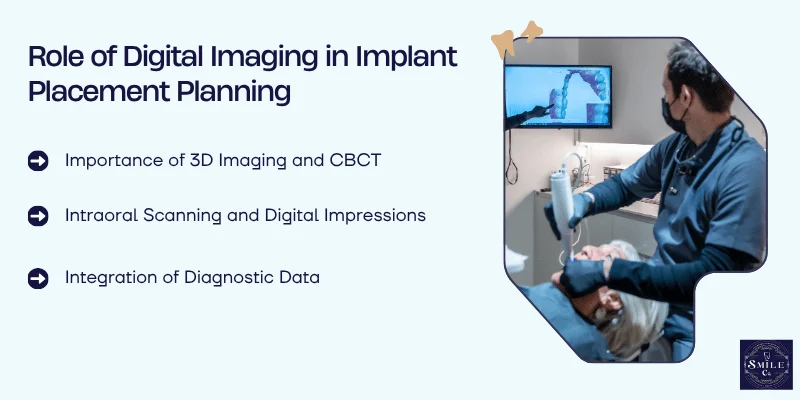
Importance of 3D Imaging and CBCT
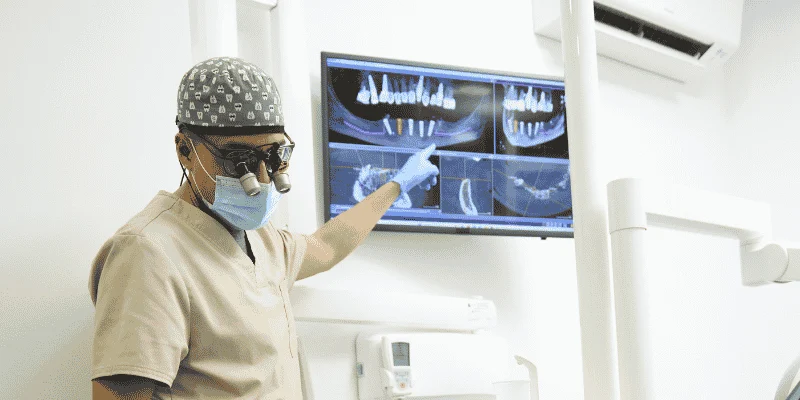
You need clear views of bone height, width, and density before placing an implant. Cone-beam computed tomography (CBCT) gives you true three-dimensional imaging of the jaw.
Unlike flat X-rays, CBCT shows the exact location of the inferior alveolar nerve, maxillary sinus, and nearby roots. This detail helps you choose implant length and diameter with more control.
It also lowers the risk of nerve injury or sinus perforation.
Modern workflows combine CBCT with planning software so you can place a virtual implant on the scan.
Research on digital implant planning and guided surgery shows that 3D imaging improves accuracy and predictability compared to traditional methods.
You can also use 3D imaging data in virtual reality systems. This allows you to review anatomy from different angles and improve spatial awareness before surgery.
Intraoral Scanning and Digital Impressions
You also need precise surface details of teeth and soft tissue. Intraoral scanning replaces traditional trays with a handheld scanner that captures a digital impression in minutes.
Intraoral scanners create a 3D model of the mouth. You can see margins, tissue contours, and occlusion on screen right away. This helps you check for missing data and rescan areas instantly.
Studies in digital technologies in implantology report that digital impressions can match or even exceed the accuracy of conventional methods in many single and partial cases. For full-arch reconstruction cases, you still need to confirm accuracy carefully.
Digital impressions also improve communication. You can share files with the lab without shipping physical models, which reduces errors and saves time.
Integration of Diagnostic Data
The real strength of digital planning comes from combining data. You merge CBCT scans with intraoral scanning files to create one unified 3D model.
This process aligns bone anatomy with the exact position of teeth and soft tissue. You then plan implant placement based on both surgical and prosthetic needs. That means you position the implant for the final crown, not just for available bone.
Some systems use advanced software to assist with pre-surgical workflows. A review of artificial intelligence in pre-surgical digital implant planning found that several programs include automated steps, though fully automated planning does not yet exist.
By integrating radiographic and surface data, you reduce guesswork. You rely on measured distances and verified anatomy, which lowers surgical risk and supports safer implant placement.
Digital Workflows: From Virtual Planning to Surgical Execution
You move from diagnosis to implant placement using connected digital tools instead of guesswork. Digital workflows link virtual planning, CAD/CAM production, and 3D-printed surgical guides into one controlled process.
Virtual Implant Planning and Simulation
You begin with a CBCT scan and an intraoral scan. The software merges bone data with surface scans of the teeth and soft tissue. This gives you a 3D model of the patient’s anatomy.
With digital implant planning and guided implant surgery, you place the implant virtually before you ever touch the patient. You choose implant size, angle, and depth based on bone volume and prosthetic needs.
The software lets you measure distances to nerves and sinuses with precision.
You can also simulate the final crown position. This keeps the implant aligned with the planned restoration, not just the available bone. That step reduces the risk of poor angulation and prosthetic complications.
Many clinicians adopt a scan-to-surgery digital workflow to connect imaging, planning, and surgery. When you follow this process, you reduce surprises on the day of surgery.
CAD/CAM and Computer-Aided Manufacturing
After you approve the virtual plan, you export the data into a CAD/CAM system. Computer-aided design (CAD) shapes the surgical guide or provisional restoration based on your exact implant position.
The design includes guide sleeves that control drill depth and angulation. You set these parameters in the software, not by hand during surgery. That control lowers the chance of drifting off course.
Next, computer-aided manufacturing (CAM) produces the guide or prosthetic part. A milling machine or printer follows the digital file with high repeatability. This step reduces human error compared to manual fabrication.
When you rely on CAD/CAM, you base your surgical steps on verified data instead of visual estimates.
3D Printing and Surgical Guide Fabrication
You often fabricate guides using 3D printing. The printer builds the guide layer by layer from a resin approved for intraoral use.
Many systems produce stereolithographic surgical guides. These guides fit directly over the patient’s teeth or mucosa. Their close fit stabilizes the drill path during osteotomy preparation.
A typical stereolithographic surgical guide includes:
- Metal or reinforced drill sleeves
- Depth control features
- Windows to verify seating
Because 3D printing follows your exact digital plan, the guide transfers virtual positioning to the mouth with minimal change.
Research on digital workflow in implantology reports more precise planning and safer surgery when clinicians use guided systems.
When you combine 3D printing with a structured digital workflow, you create a direct link between planning and execution. That link helps you reduce deviation and manage surgical risk with more control.
Guided Surgery and Implant Placement Accuracy
Digital tools let you plan implant position in three dimensions and then transfer that plan to the patient with guided surgery. You control depth, angle, and position more closely, which helps reduce surgical risk and improve prosthetic fit.
Static vs Dynamic Navigation Systems
You can use static guides or dynamic navigation systems to carry out computer-guided surgery. Both methods aim to place the implant exactly where you planned it on the digital scan.
Static guides use a printed surgical template that fits over the teeth, bone, or soft tissue. The guide directs your drills through metal sleeves at a set angle and depth.
Research shows that both static and dynamic computer-assisted systems improve implant positioning compared to freehand surgery.
Dynamic navigation works more like a GPS system. You track your drill in real time on a screen while you operate. This allows you to adjust your angulation during surgery instead of relying on a fixed template.
Key differences:
- Static guides: Pre-planned, fixed path, no intraoperative changes
- Dynamic navigation: Real-time feedback, flexible adjustments
- Both improve guided implant placement accuracy over freehand methods
Your choice depends on your training, case complexity, and equipment.
Surgical Templates and Guides
Surgical guides transfer your virtual plan to the mouth. You design them after you merge CBCT data with an intraoral scan or model scan.
The process usually includes:
- Patient scanning
- Digital planning
- Guide design
- 3D printing or milling
- Guided implant surgery with a system-specific kit
A review of guided implant surgery and its efficiency explains that each of these steps can introduce small errors. If those errors add up, they affect final implant position.
You must check guide fit carefully before you start drilling. Poor seating, guide fracture, or movement during surgery can reduce implant placement accuracy.
For mucosa-supported guides, soft tissue thickness can slightly change depth control. For bone-supported guides, stable fixation with pins improves precision.
Accuracy and Minimally Invasive Surgery
When you use guided implant surgery, you often perform minimally invasive surgery, including flapless procedures. That means you avoid raising a large gum flap.
Guided systems help you see the implant position in advance, which lowers the risk of damaging nerves, sinus cavities, or adjacent teeth. Digital planning gives you a clearer view of anatomy before you start.
Studies comparing guided and conventional methods report:
- Greater placement accuracy
- Shorter surgical time in some systems
- Less postoperative pain and swelling
- Similar short-term implant survival rates
Minimally invasive, flapless guided implant placement also reduces bleeding and allows patients to return to normal oral hygiene sooner.
However, you must respect vertical depth control, since depth errors are more common than side-to-side errors.
Prosthetically Driven Implant Placement
You should plan implant position based on the final crown, not just available bone. This approach is called prosthetically driven implant placement.
Digital software lets you place a virtual crown first. Then you position the implant to support that crown with proper angulation and emergence profile. This improves prosthetic fit and reduces the need for angled abutments.
Digital workflows that start from a prosthetic wax-up and guide surgery from that plan support both functional and esthetic outcomes.
When you align implant position with the final restoration, you:
- Improve load distribution
- Reduce cement or screw access problems
- Lower the risk of esthetic compromise
That connection between digital planning and guided implant placement is what makes computer-guided surgery a strong tool for reducing surgical and restorative complications.
Clinical Outcomes, Evidence, and Future Directions
Digital implant planning changes how you manage risk. Research now looks beyond placement accuracy and focuses on implant survival rate, tissue health, and long-term stability.
Impact on Implant Survival and Success Rates

When you use virtual implant planning, you place implants closer to the ideal prosthetic position. That precision supports strong implant survival rates and stable bone levels over time.
A white paper on computer assisted implant surgery reports that guided approaches improve placement accuracy and perform as well as or better than freehand surgery for many clinical outcomes.
Several clinical trials and systematic reviews show similar implant survival rates between guided and non-guided surgery, often above 95% in routine cases.
You should still separate implant survival rate from implant success rates. Survival means the implant remains in place. Success also includes healthy soft tissue, stable bone, and no pain or infection.
Digital workflows help you protect nearby structures and control angulation. That control becomes critical in narrow ridges, esthetic zones, and cases using narrow-diameter implants or immediate loading.
Biocompatibility, Osseointegration, and Complication Reduction
You improve osseointegration when you control implant depth and angulation. Digital planning lets you evaluate bone density and thickness before surgery.
A narrative review on the future of dental implants and CAD/CAM technology explains how digital design improves prosthetic fit and long-term stability. Better fit reduces micromovement and stress at the bone–implant interface. That supports biocompatibility and stable healing.
Guided surgery also supports flapless techniques in selected cases. When you reduce tissue trauma, you may lower swelling and early discomfort. Careful positioning also lowers the risk of cortical perforation or nerve injury.
You still need strict hygiene protocols. Digital planning does not prevent peri-implantitis on its own. However, it helps you create restorations with better contours, which makes cleaning easier and may reduce plaque retention.
Role of Artificial Intelligence and Augmented Reality
Artificial intelligence now assists with image analysis and implant positioning. Some systems automate parts of the planning process, though none provide a fully automated workflow.
A review of AI in pre-surgical digital implant planning found that only a portion of current software offers fully automated steps. You still review and adjust each plan. AI supports your decisions, but it does not replace your judgment.
Dynamic navigation and robotic systems continue to develop. Emerging reports on recent advances in digital technology in implant dentistry describe improved transfer of virtual plans to the surgical site with high accuracy.
Augmented reality may soon project planning data into your field of view. That real-time guidance could help you verify angulation and depth without shifting your focus away from the patient.
Limitations, Costs, and Training Needs
You must weigh benefits against cost and training time. Digital systems require scanners, planning software, and sometimes navigation units or robotic platforms.
Upfront costs can be high. You also invest time in learning software, data merging, and guide verification. A learning curve affects early efficiency and may extend surgical time.
Clinical studies often focus on accuracy rather than long-term outcomes.
Some meta-analysis data show small differences between static and dynamic systems, but not all studies measure patient-centered outcomes like comfort or satisfaction.
You also need clear case selection. Complex anatomy, limited mouth opening, or poor guide fit can reduce accuracy. Digital tools improve safety, but only when you apply them with proper training and careful planning.
Frequently Asked Questions
Digital implant planning uses 3D scans and software to map your jaw, teeth, and nearby nerves before surgery. This approach helps your dentist choose the right implant size, position, and angle with more control.
What is digital implant planning and how does it work?
Digital implant planning uses 3D imaging, often from a CBCT scan, along with digital models of your teeth. Your dentist places a virtual implant on the computer before placing anything in your mouth.
The software shows cross‑section views and 3D models of your jaw. It lets your dentist adjust the implant’s length, width, angle, and depth.
Many systems support guided workflows described in research on virtual implant planning software for guided surgery. After planning, the office or lab can create a custom surgical guide to transfer that plan to your procedure.
How does 3D imaging help dentists avoid nerves and sinuses during implant surgery?
A CBCT scan shows your bone in three dimensions. It also shows key structures like the inferior alveolar nerve and the sinus cavity.
Your dentist can measure the distance from the planned implant to these areas. Many planning programs allow the nerve canal to be marked on the scan, which helps maintain a safe buffer.
This level of detail supports safer placement and is a core part of digital implant planning and surgical guides. You get a plan based on your exact anatomy, not just a 2D X‑ray.
Can a surgical guide improve the accuracy of implant placement?
A surgical guide is a custom device that fits over your teeth or gums during surgery. It contains sleeves that direct the drill to the planned angle and depth.
By controlling angulation and position, a guide can reduce small placement errors. That extra control matters when bone space is limited or when implants sit near nerves or sinuses.
Clinics that focus on dental surgical guide design use these guides to match the surgical steps to the digital plan. You benefit from a more consistent transfer from screen to mouth.
Who is a good candidate for digitally planned dental implants?
If you need one or more dental implants, you can usually benefit from digital planning. It helps in simple single‑tooth cases and in larger cases with several missing teeth.
It is especially useful when your bone is thin, close to a nerve, or near the sinus. In these cases, precise measurements matter more.
Your dentist will still review your medical history, bone quality, and gum health before recommending implants.
How much do digitally planned dental implants typically cost compared with traditional planning?
Digitally planned implants often cost more than traditional 2D planning. The added cost comes from 3D scans, planning software, and custom surgical guides.
However, the technology may reduce unexpected changes during surgery. Some offices include digital planning in their standard implant fee, while others list it separately.
Ask for a written treatment plan that shows scan fees, guide fees, and surgical costs. This helps you compare options clearly.
What questions should I ask my dentist before starting a digitally planned implant procedure?
Ask if your dentist uses CBCT scans for 3D planning and whether they create a surgical guide. You can also ask which implant system they plan to use and why.
Find out how they measure and protect nearby nerves and sinuses. Ask how many digitally guided implant cases they complete each year.
Finally, request a clear breakdown of costs and the expected timeline from scan to final crown. Clear answers help you feel confident before you move forward.